Project 08 📚 Strict JavaScript Book Tracker
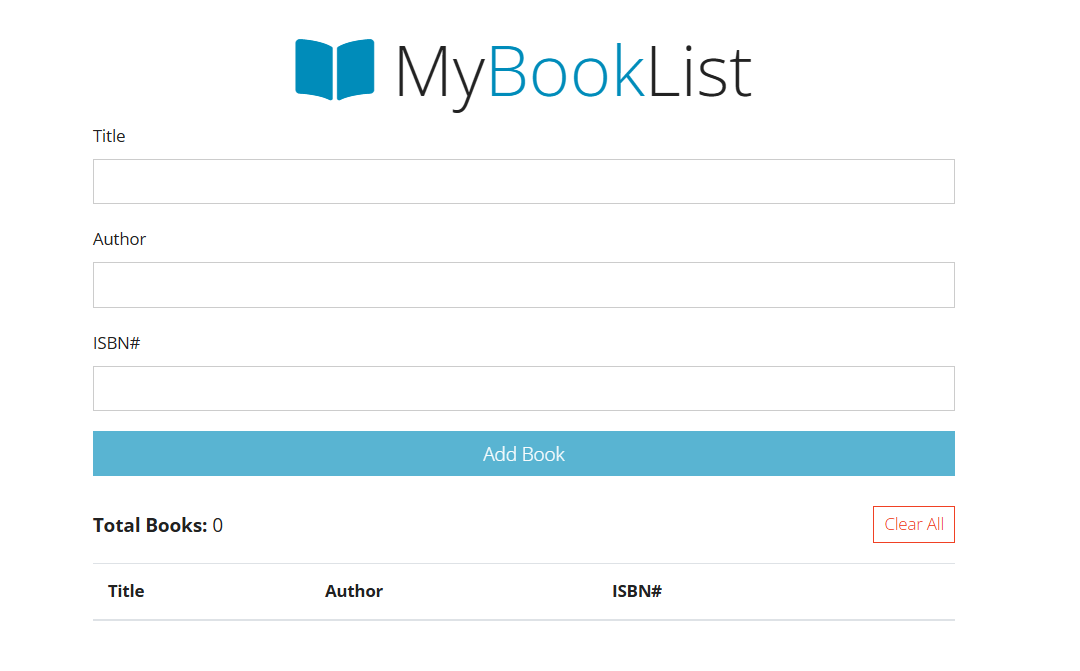
Welcome to your Strict JavaScript Book Tracker project. In this build, you will create a complete browser-based book tracker by combining structured HTML, utility-first CSS classes, and clean JavaScript logic.
What Is This Project About?
This project walks you through building an interactive book tracker app from the ground up.
You will:
- Build the full HTML structure in
index.html(app shell, form, status row, and data table). - Use Bootstrap and Font Awesome as support tools for layout, spacing, and icons.
- Write JavaScript in
app.jsto read user input, validate data, and control UI behavior. - Store book data in memory with an array and keep the DOM synced with that data.
- Implement real app actions: add books, prevent duplicate ISBNs, remove one book, and clear all books.
Notice: The web page content/topic for this assignment was selected based on student interest. The teacher, Cyprus High School, and Granite School District are not endorsing, sponsoring, or promoting any specific content or topic through this project.
What You’ll Learn (HTML, CSS & JavaScript Topics)
HTML Topics
- Creating a valid HTML document structure and loading scripts correctly.
- Designing form inputs with IDs that act as JavaScript hooks.
- Building a table structure with a dynamic
<tbody>target for JavaScript-rendered rows.
CSS Topics
- Applying Bootstrap utility and component classes for fast, consistent styling.
- Using layout and spacing classes to create clear visual hierarchy.
- Integrating Font Awesome icons to support page branding and usability.
JavaScript Topics
- Managing app state with arrays and object data.
- Reading and cleaning input values from the DOM.
- Using helper functions to separate concerns (display helpers, data helpers, and event handlers).
- Handling events (
input,submit, andclick) withaddEventListener(). - Validating required fields and duplicate ISBN values.
- Updating the DOM dynamically (create, insert, remove, and clear table rows).
- Keeping UI state, book count, and in-memory data synchronized.
Learning Objectives
By the end of this project, you should be able to:
- Build a complete interactive page structure that JavaScript can control.
- Explain how IDs and selectors connect HTML elements to JavaScript behavior.
- Write clear JavaScript functions for validation, rendering, and data updates.
- Use event-driven programming to respond to user actions in real time.
- Maintain reliable synchronization between user interface changes and application data.
Ready, Set, Code!_
You now have the roadmap. Move through each section step by step, focus on clean logic, and test each feature as you build. Let’s start coding your book tracker.